
Cloud data storage has become an essential part of modern digital infrastructure.
As organizations generate increasing volumes of documents, databases, application data, media files, backups, and business records, traditional storage environments can become difficult to scale and manage. Cloud-based infrastructure provides a flexible approach by allowing data to be stored and managed through distributed computing environments rather than relying entirely on local hardware.
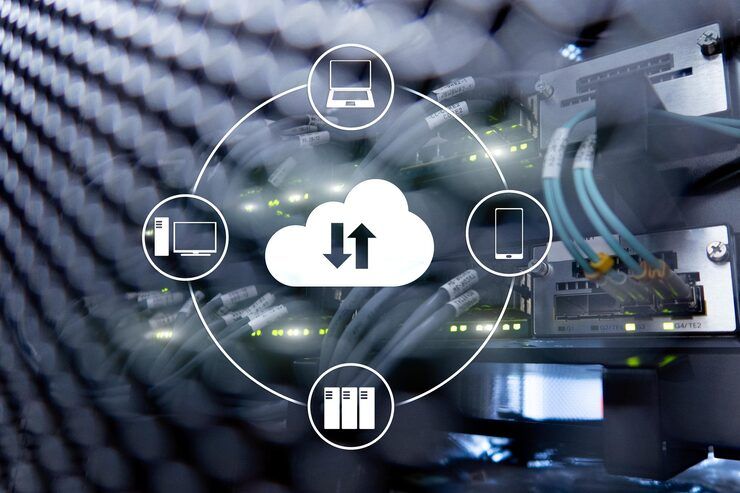
However, effective cloud storage involves much more than placing files on remote servers. A well-designed environment requires careful planning around storage architecture, performance, security, availability, data management, and scalability. Understanding how cloud data storage server setups work can help organizations make informed decisions about infrastructure and long-term information management.
This guide explains the fundamentals of cloud storage architecture, common server setups, storage models, enterprise requirements, security considerations, and emerging trends shaping scalable storage infrastructure.
What Is Cloud Data Storage?
Cloud Data Storage refers to storing digital information within remotely managed infrastructure that can be accessed through networks and cloud computing platforms. Instead of maintaining all storage hardware inside a local facility, organizations can use distributed infrastructure designed to provide flexible access to data and computing resources.
Cloud storage environments can support many types of information, including:
- Business documents
- Databases
- Application files
- Backup copies
- Multimedia content
- Analytics datasets
- Archived records
- Virtual machine data
The underlying infrastructure typically includes servers, storage devices, networking equipment, virtualization technologies, and management software.
The main objective is to create a storage environment that can adapt to changing data requirements while maintaining appropriate levels of performance, reliability, and security.
How Cloud Data Storage Server Setups Work
Cloud data storage server setups generally combine physical infrastructure with software-defined management systems.
At the physical level, data may be distributed across multiple servers and storage devices. Virtualization and software-defined technologies allow these resources to be organized into logical storage environments that users and applications can access as needed.
A typical architecture may include:
- Physical servers and storage hardware
- Networking infrastructure
- Virtualization or container platforms
- Storage management software
- Data protection mechanisms
- Monitoring and administration tools
Data is often distributed across multiple systems to improve availability and reduce dependence on a single physical component.
This distributed approach is one of the defining characteristics of modern cloud infrastructure.
Major Types of Cloud Storage
Different storage models are designed for different workloads.
Object Storage
Object storage manages information as individual objects that contain data, metadata, and unique identifiers.
It is commonly used for:
- Media files
- Backups
- Data archives
- Large datasets
- Application-generated content
Object storage is particularly suitable for large volumes of unstructured data.
Block Storage
Block storage divides data into fixed-size blocks that can be accessed individually. It is commonly associated with applications that require consistent performance and low-latency data access.
Typical workloads include databases and enterprise applications.
File Storage
File storage organizes information into familiar hierarchical structures such as folders and directories.
It is often used when multiple users or applications need shared access to files through established file-based protocols.
Each model serves a different purpose, and many organizations use multiple storage types within a single cloud environment.
Enterprise Cloud Storage Architecture
Enterprise Cloud Storage environments typically require more sophisticated infrastructure than small-scale storage systems.
Large organizations may need to manage:
- High data volumes
- Multiple applications
- Distributed users
- Regulatory requirements
- Backup and recovery
- Data retention policies
- Business continuity
Enterprise environments often use layered architectures that separate storage resources based on workload requirements.
For example, frequently accessed information may reside in high-performance storage, while older records can be moved to archival environments.
This approach helps organizations manage data efficiently while aligning storage resources with business requirements.
Cloud Server Storage and Scalability
One of the major advantages of cloud server storage is the ability to scale infrastructure as data requirements change.
Traditional storage environments often require organizations to purchase and install additional hardware when capacity becomes limited. Cloud-based environments can provide more flexible resource allocation through software-controlled infrastructure.
Scalability can occur in several ways.
Vertical Scaling
Vertical scaling involves increasing the capacity or performance of an existing storage or server resource.
Horizontal Scaling
Horizontal scaling adds additional servers or storage nodes to an infrastructure environment.
Distributed systems often rely heavily on horizontal scaling because it allows capacity to expand across multiple systems.
Elastic Scaling
Some cloud environments can automatically adjust resources according to workload requirements.
This approach is particularly useful for applications with fluctuating data volumes or unpredictable demand.
Cloud Data Management
Cloud Data Management refers to the processes used to organize, protect, monitor, and govern information stored across cloud environments.
Effective management may involve:
- Data classification
- Access control
- Backup management
- Retention policies
- Data lifecycle management
- Monitoring
- Compliance controls
- Disaster recovery
A structured approach helps organizations understand where information is stored, who can access it, how long it should be retained, and when it should be archived or removed.
Without effective data management, rapidly growing storage environments can become difficult to monitor and control.
Security Considerations for Cloud Storage
Security is a central consideration when designing cloud data storage server setups.
Organizations commonly use multiple layers of protection, including:
- Identity and access management
- Encryption
- Authentication controls
- Network segmentation
- Security monitoring
- Audit logging
- Backup protection
- Data loss prevention
Access permissions should follow the principle of providing users with only the level of access required for their responsibilities.
Encryption can help protect data both while it is being transmitted and while it is stored.
Security strategies should also account for misconfiguration, unauthorized access, accidental deletion, and other operational risks.
Backup and Disaster Recovery
Cloud storage infrastructure should not be confused with backup systems.
Although cloud environments may provide redundancy, organizations still need dedicated backup and recovery strategies.
A comprehensive approach may include:
- Multiple backup copies
- Geographic redundancy
- Automated backup schedules
- Recovery testing
- Defined retention policies
- Documented recovery procedures
Disaster recovery planning determines how quickly systems and data should be restored following an incident.
Two important concepts are Recovery Point Objective (RPO) and Recovery Time Objective (RTO). RPO defines the acceptable amount of data loss measured in time, while RTO describes the targeted time required to restore operations.
These objectives help organizations design storage and recovery architectures around actual business requirements.
Comparing Cloud Storage Models
| Storage Model | Best Suited For | Key Characteristic |
|---|---|---|
| Object Storage | Backups and large unstructured data | Highly scalable |
| Block Storage | Databases and applications | Consistent performance |
| File Storage | Shared documents and directories | Familiar file structure |
| Archive Storage | Long-term records | Optimized for infrequent access |
Choosing the right model depends on factors such as application requirements, access patterns, data volume, performance expectations, and retention needs.
Challenges in Cloud Data Storage
Despite its flexibility, cloud storage introduces several challenges.
Data Growth
Rapidly increasing data volumes can make storage management complex without effective classification and lifecycle policies.
Security Management
Distributed environments require consistent access controls and monitoring across multiple systems.
Integration
Existing applications may require modification or specialized configurations to work efficiently with cloud storage.
Performance
Not every workload benefits equally from the same storage architecture. Applications with demanding latency requirements may need specialized storage configurations.
Data Governance
Organizations must understand where information resides, how it is processed, and how it is retained to meet internal and regulatory requirements.
Best Practices for Scalable Storage Infrastructure
A well-planned storage environment begins with a clear understanding of data requirements.
Important practices include:
- Classifying data according to business value
- Matching storage types to workloads
- Implementing lifecycle management
- Establishing access controls
- Maintaining independent backups
- Monitoring capacity and performance
- Testing disaster recovery procedures
- Reviewing security configurations regularly
- Documenting storage architecture
Regular infrastructure reviews are important because data requirements and application workloads change over time.
Future Trends in Cloud Data Storage
Cloud storage continues to evolve alongside artificial intelligence, analytics, automation, and distributed computing.
Emerging developments include:
- AI-assisted data management
- Automated storage optimization
- Edge and cloud integration
- Intelligent data classification
- Advanced ransomware protection
- Software-defined storage
- Multi-cloud storage strategies
- Automated lifecycle policies
As data becomes increasingly important to business operations, organizations are placing greater emphasis on infrastructure that can scale while maintaining security, availability, and operational visibility.
Frequently Asked Questions
What are cloud data storage server setups?
Cloud data storage server setups are infrastructure configurations that combine servers, storage systems, networks, and management software to store and access data through cloud-based environments.
What is the difference between object, block, and file storage?
Object storage is suited to large volumes of unstructured information, block storage supports performance-sensitive applications, and file storage organizes information through familiar folders and directories.
Why is cloud data management important?
Cloud Data Management helps organizations organize, protect, monitor, govern, and control information throughout its lifecycle.
Is cloud storage automatically secure?
Cloud environments provide security technologies, but effective protection also depends on correct configuration, access management, encryption, monitoring, and organizational security practices.
How does cloud storage support scalability?
Cloud storage can expand through additional capacity, distributed infrastructure, and automated resource allocation, allowing organizations to adapt storage environments as data requirements change.
Conclusion
Cloud data storage server setups provide a flexible foundation for managing the growing volume and diversity of modern digital information. By combining distributed infrastructure, multiple storage models, automated management, security controls, and scalable architecture, organizations can create environments that support changing workloads and long-term data requirements.
Enterprise Cloud Storage is particularly valuable when organizations need to manage large datasets, complex applications, distributed users, and demanding continuity requirements. However, successful implementation depends on thoughtful planning rather than storage capacity alone.
A strong cloud storage strategy considers performance, scalability, security, backup, recovery, governance, and lifecycle management together. As cloud technologies continue to develop, intelligent automation and increasingly distributed architectures will shape the future of Cloud Server Storage and Cloud Data Management, helping organizations build storage infrastructure that is more adaptable, resilient, and aligned with evolving digital needs.